Overview
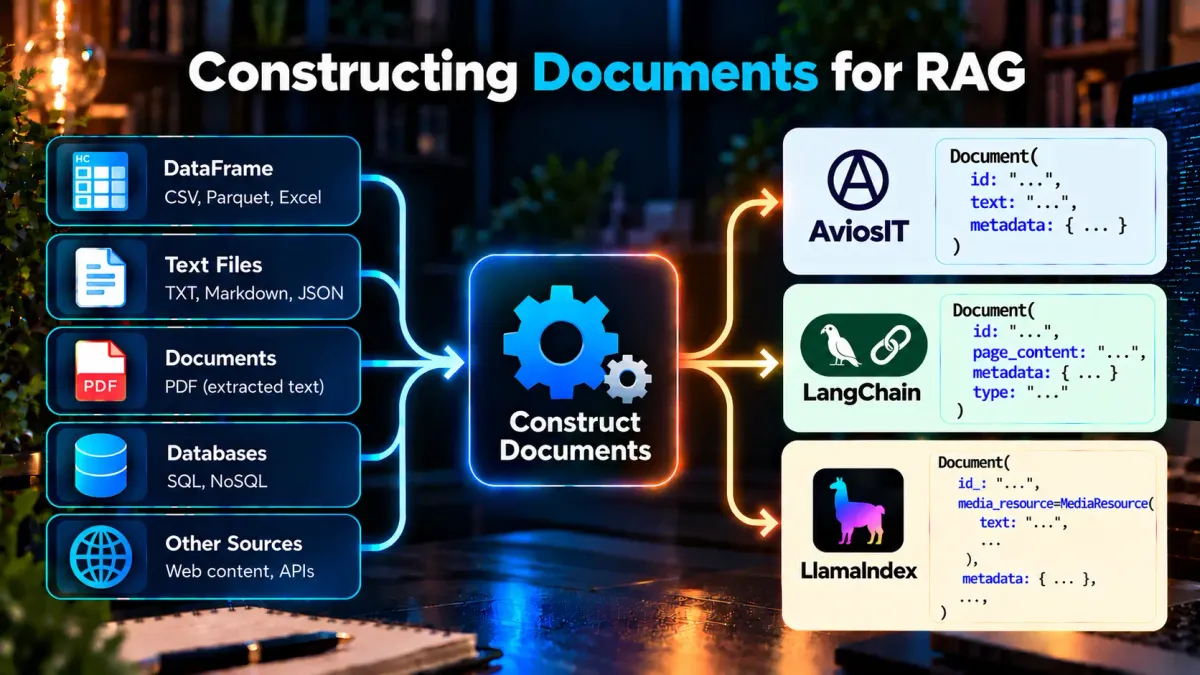
Document construction transforms prepared source data into documents that can be used by the later stages of a Retrieval-Augmented Generation (RAG) pipeline.
A document is more than just a piece of text. It combines the content to be retrieved with information that identifies and describes its source. In this tutorial, each document contains text, an identifier, and metadata.
This tutorial uses a prepared Quran dataset as a concrete example of the document construction process. The same concepts can be applied to other RAG applications, although the document structure and metadata will depend on the source data and application requirements.
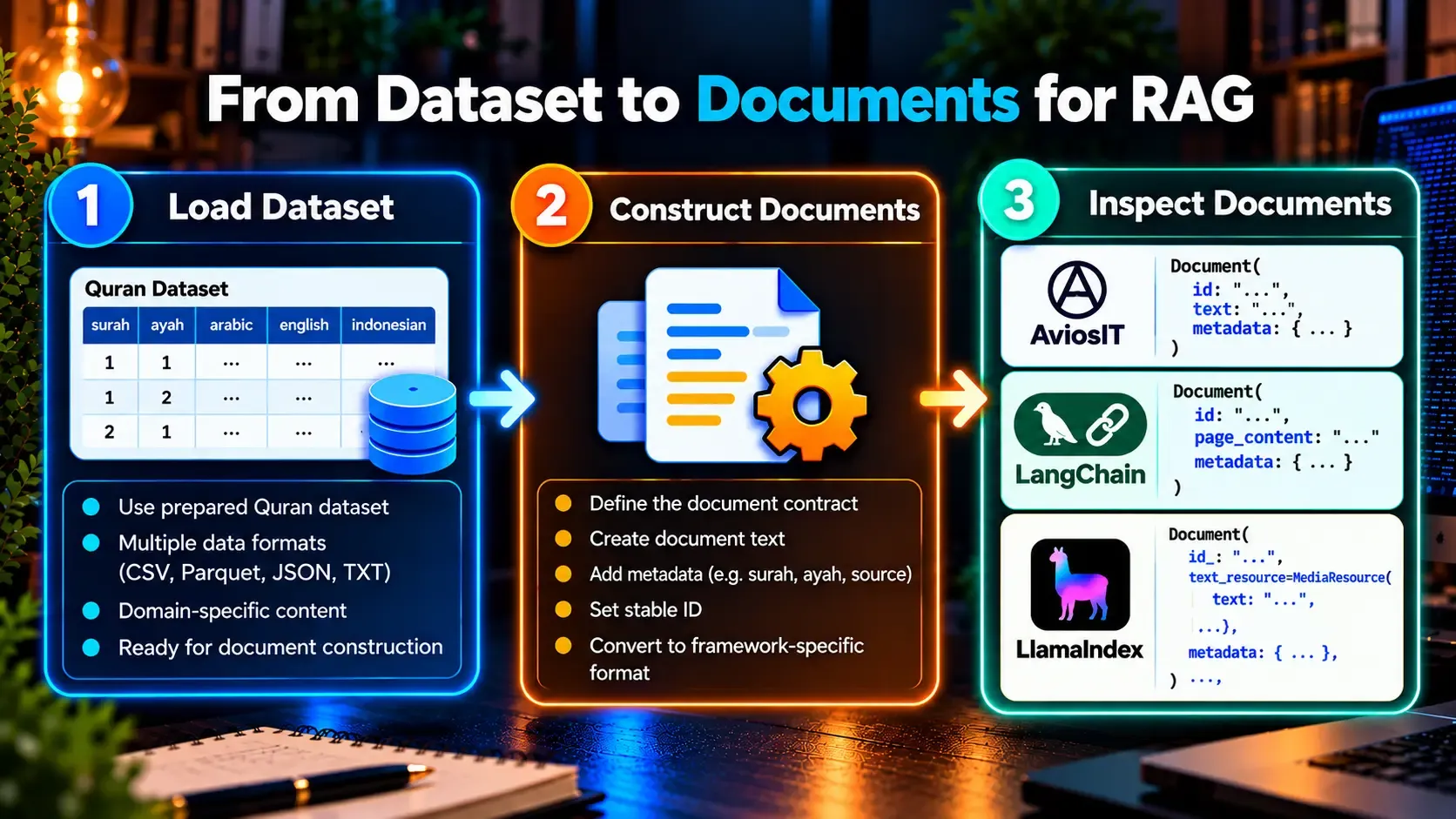
You will learn how to load the prepared dataset, define a document structure, construct documents, and inspect their structure before moving to embedding and retrieval.
Load Dataset
Document construction starts with the prepared source data. Before creating documents, the input should be loaded and inspected so that the construction logic works against a known structure.
For the Quran example, the prepared source is a Parquet dataset containing one row per ayah. Each row contains:
surah— surah numberayah— ayah numberarabic— Arabic textenglish— English translationindonesian— Indonesian translation
from pathlib import Path
import pandas as pd

dataset_path = Path("data/processed/quran.parquet")
dataset = pd.read_parquet(dataset_path)
The input should be inspected before document construction so that the expected columns and data structure are known. This keeps input preparation separate from the transformation that creates documents.
Related Tutorial: Preparing Quran Dataset for RAG Applications
Other RAG applications may start from different sources, such as structured datasets, extracted documents, web content, or records produced by an ingestion pipeline. The source format can change, but the purpose of this step remains the same: establish a reliable input representation before constructing documents.
Construct Documents
Once the dataset is loaded, the next step is to decide what one document represents and what information it should contain. These decisions should support how the documents will later be retrieved and traced back to their source.
In this tutorial, one document represents:
- One ayah from the source dataset
- One language for that ayah
Each document also has:
- A stable identifier for the document
- Source metadata for tracing the document back to its ayah
Each ayah therefore produces separate Arabic, English, and Indonesian documents. A stable identifier combines the surah number, ayah number, and language, while metadata preserves the relationship to the source ayah.
Document granularity is not universal. Another RAG application might represent a paragraph, section, page, or larger source as a document. The important principle is to choose a representation that supports the application's retrieval and source-tracing requirements.
1. Document Contract
Before introducing a framework-specific document model, we first define the document structure used by our own implementation.
The document contract defines three core fields:
id— the document's stable identitytext— the content that will be used by the RAG pipelinemetadata— structured information describing the document's source
from dataclasses import dataclass, field
from typing import TypeAlias

MetadataValue: TypeAlias = str | int | float | bool


@dataclass(slots=True)
class Document:
    """Represent a text document with a unique ID and metadata."""

    id: str
    text: str
    metadata: dict[str, MetadataValue] = field(default_factory=dict)
For the Quran dataset, the metadata preserves the information needed to identify the source:
surah— surah numberayah— ayah numberayah_id— shared identifier for the source ayahlanguage— language of the document
2. Document Construction
The construction function maps each validated dataset row to language-specific Document objects.
def construct_aviosit_documents(dataframe: pd.DataFrame) -> list[Document]:
    documents: list[Document] = []

    languages = {
        "arabic": "ar",
        "english": "en",
        "indonesian": "id",
    }

    for row in dataframe.itertuples(index=False):
        surah = row.surah
        ayah = row.ayah
        ayah_id = f"{surah}:{ayah}"

        for column, language in languages.items():
            text = getattr(row, column).strip()

            documents.append(
                Document(
                    id=f"{ayah_id}:{language}",
                    text=text,
                    metadata={
                        "surah": surah,
                        "ayah": ayah,
                        "ayah_id": ayah_id,
                        "language": language,
                    },
                )
            )

    return documents
The same ayah therefore produces three language-specific documents. For ayah_id 1:1:
1:1:ar— Arabic1:1:en— English1:1:id— Indonesian
The shared ayah_id connects these documents to the same source ayah, while the language in the identifier and metadata distinguishes the individual document.
3. Document Implementations
The document contract above is independent of any RAG framework. Frameworks can then provide their own document objects for use within their respective ecosystems.
The three implementations represent the same general document concept, but their internal models are different.
- AviosIT
Documentid— stable document identifiertext— document contentmetadata— source information
- LangChain
Documentid— document identifierpage_content— document textmetadata— structured source informationtype— identifies the object as a LangChainDocument
- LlamaIndex
Documentid_— document identifierembedding— embedding representation of the documentmetadata— structured metadata associated with the documentexcluded_embed_metadata_keys— metadata keys excluded when generating embeddingsexcluded_llm_metadata_keys— metadata keys excluded from the context fed to the LLMrelationships— relationships between this document and other nodesmetadata_template— template used to format metadatametadata_separator— separator used when formatting metadatatext_resource— resource containing the document textimage_resource— resource for image contentaudio_resource— resource for audio contentvideo_resource— resource for video contenttext_template— template used to format the document text and metadataclass_name— class name used to identify the modeltext— text exposed through the document's text resource
LlamaIndex provides a richer document model with fields for embeddings, metadata handling, relationships, and multiple content resources. For this text-based RAG tutorial, the most relevant fields are id_, metadata, and text, while the other fields support additional document and multimodal capabilities.
The important point is not that the fields have identical names. It is that the information required by the RAG pipeline is preserved when working with each implementation.
Inspect Documents
After constructing documents, inspect their structure and content before passing them to later RAG stages. The goal is to confirm that the construction process produced the expected fields and values.
For the framework-independent implementation, the fields defined by the document can be inspected directly:
print(document.__dataclass_fields__.keys())This shows the fields defined by the Document dataclass:
idtextmetadata
LangChain and LlamaIndex use Pydantic-based document models in the versions used by this tutorial. Their model data can be inspected with model_dump() to see the fields represented by each model.
print(document.model_dump().keys())The resulting fields differ between frameworks. Inspecting them makes those differences explicit and helps avoid assuming that every RAG framework represents documents in exactly the same way.
When inspecting the constructed documents, verify that:
- each document has a valid identifier;
- the expected text is present;
- the required metadata is preserved;
- the document can be traced back to its source ayah and language.
For the Quran example, this preserves the relationship between each document and its surah, ayah, and language. That relationship will later support reliable source tracing when retrieved content is used in the RAG pipeline.
Conclusion
Document construction transforms prepared source data into a representation that can be passed to the downstream stages of a RAG pipeline.
The important decisions are:
- Document granularity — what one document represents.
- Text — the content that will be retrieved.
- Stable identifiers — how documents are uniquely identified.
- Metadata — how documents are traced back to their source.
- Framework model — how the same information is represented by different RAG frameworks.
In this tutorial, a prepared Quran dataset was used to demonstrate these general concepts. The framework-independent Document defines the document structure, while LangChain and LlamaIndex provide their own native document models for framework-specific implementations.
The same approach can be applied to other RAG applications. Their source data and metadata may differ, but document construction remains the boundary between prepared source content and subsequent embedding, indexing, and retrieval stages.
Tutorial Video
The accompanying video demonstrates how to load the prepared Quran dataset, construct document objects, and inspect their structure, content, and metadata.